



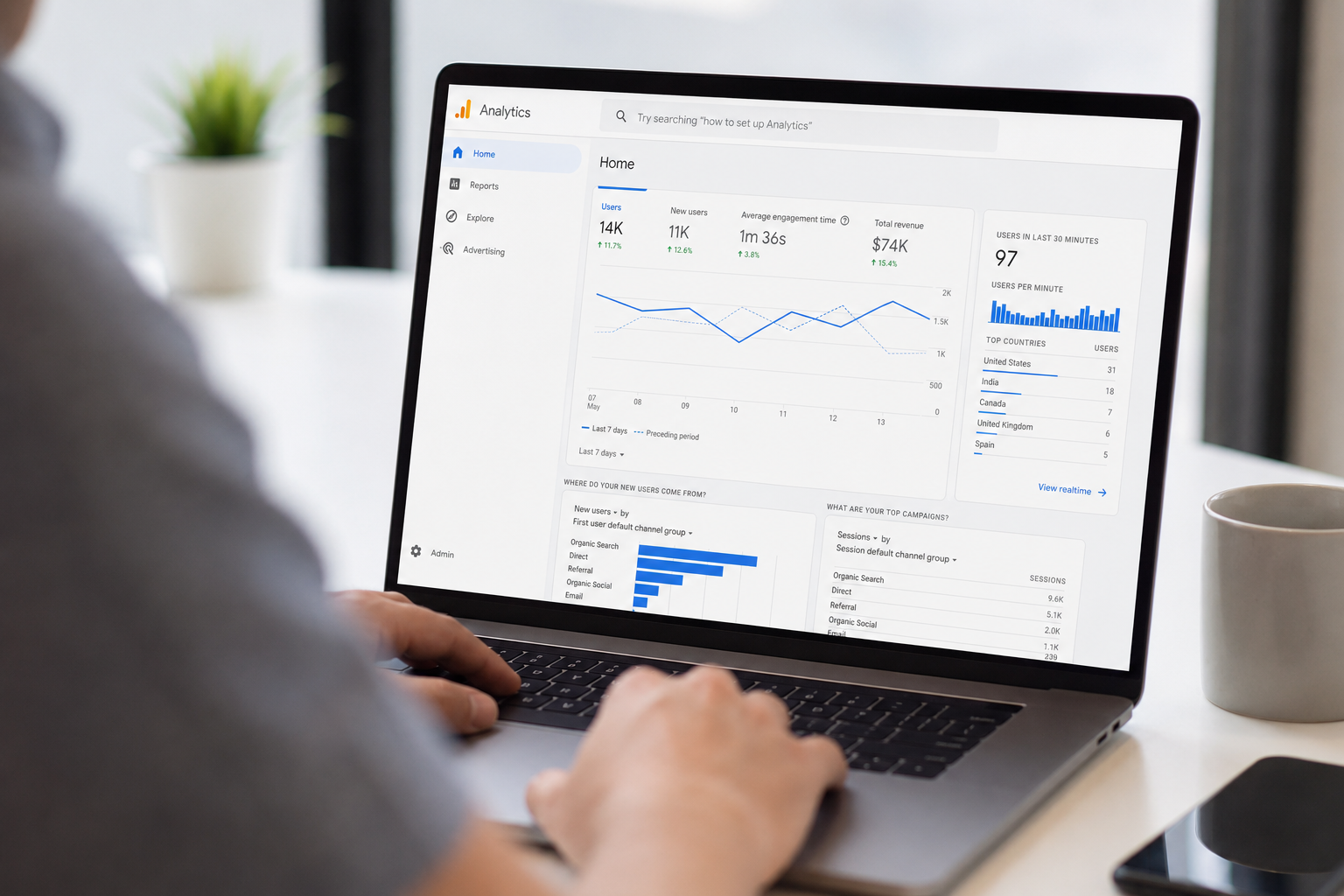
How Do I Set Up My Google Analytics Account and How Should I Use It?
The Complete Guide to Google Analytics 4 (GA4) for New Zealand Businesses
If you run a business in New Zealand, your website is one of your most important sales and marketing assets.
But here’s the problem:
Most businesses have Google Analytics installed… yet very few actually use it correctly.
Even fewer have it set up properly.
And almost none are using it in a way that connects marketing activity to real business outcomes like leads, sales, and revenue.
In an AI-driven marketing world, this is a major disadvantage.
Because AI systems, automation platforms, and modern marketing tools all rely on one thing:
Data.
And one of the most important sources of that data is Google Analytics 4 (GA4).
At DigitalxMarketing, we see the same issue repeatedly:
Businesses are generating traffic… but they don’t understand it.They are spending money on ads… but can’t measure return.They are publishing content… but don’t know what actually works.
This guide will show you:
- How to set up Google Analytics 4 correctly
- What to track (and what not to ignore)
- How to use Analytics for SEO, marketing, and AI insights
- How to turn data into better business decisions
Why Google Analytics Matters in an AI-Powered Marketing World
AI has changed marketing forever.
Today, businesses can automate:
- Lead generation
- Email follow-ups
- Customer segmentation
- Reporting dashboards
- Content creation
- Sales workflows
But AI only works if the underlying data is accurate.
If your data is messy, incomplete, or incorrectly tracked, AI will simply amplify the problem.
That’s why Google Analytics is no longer just a “reporting tool”.
It is a foundational business intelligence system.
It helps answer critical questions like:
- Where do my customers come from?
- What marketing channels actually generate leads?
- Which pages convert visitors into customers?
- Why are people leaving my website?
- What content drives revenue?
Without these answers, marketing becomes guesswork.
Step 1: Creating Your Google Analytics Account (GA4 Setup)
To set up Google Analytics 4, go to Google Analytics and sign in with your Google account.
Then:
- Click Admin
- Select Create Account
- Enter your business name
- Set your country, time zone, and currency
Next, create a GA4 property:
- Choose Web Property
- Enter your website URL
- Select your industry category
- Confirm your business details
Google will generate a Measurement ID (e.g. G-XXXXXXXXXX).
This is what connects your website to Google Analytics.
Step 2: Installing Google Analytics Correctly (Most Businesses Get This Wrong)
Setting up the account is only half the job.
Installation is where most tracking problems begin.
You have three options:
1. Google Tag Manager (Recommended)
This is the best method for most businesses.
It allows you to:
- Manage all tracking in one place
- Add marketing pixels easily
- Track conversions without developers
- Scale your analytics setup over time
2. Direct Website Integration
Some platforms like WordPress, Shopify, or Wix allow you to paste your Measurement ID directly.
This is simple but less flexible.
3. Manual Code Installation
Developers can install tracking scripts directly into the website code.
This works but is harder to manage long term.
Step 3: How to Check If Google Analytics Is Working
Once installed:
- Open your website in a browser
- Visit a few pages
- Go to Google Analytics → Reports → Realtime
If you see yourself as an active user, tracking is working correctly.
If not, your installation needs fixing before moving forward.
Step 4: What Should You Track in Google Analytics?
This is one of the most important questions business owners ask:
What should I track in Google Analytics?
You should track anything that contributes to leads, enquiries, or sales.
At a minimum, track:
- Contact form submissions
- Phone clicks
- Email clicks
- Appointment bookings
- Quote requests
- Newsletter sign-ups
- Downloads (lead magnets)
- Purchases (if eCommerce)
These are called conversion events, and they are essential for understanding marketing performance.
Without conversion tracking, you are only measuring traffic—not results.
Step 5: How Do I Measure Website Conversions?
How do I measure website conversions in GA4?
In GA4, conversions are measured using events.
Here’s how it works:
- A user performs an action (e.g. submits a form)
- GA4 records this as an event
- You mark that event as a “conversion”
Once configured, you can see:
- Which marketing channels generate leads
- Which pages convert best
- Which campaigns produce revenue
- Where customers drop off
This is the foundation of ROI tracking.
Step 6: Understanding Traffic Sources (Where Your Leads Come From)
Google Analytics breaks traffic into key categories:
Organic Search
Visitors from Google search results
Paid Search
Google Ads traffic
Direct Traffic
People typing your website directly
Social Media
Facebook, Instagram, LinkedIn, etc.
Referral Traffic
Other websites linking to you
Email Traffic
Click-throughs from email campaigns
Why this matters
If you don’t know where your leads come from, you cannot scale marketing effectively.
Step 7: The Most Important Reports in Google Analytics
Most businesses get lost in data.
Instead, focus on these core reports:
- Traffic Acquisition Report (where users come from)
- Landing Page Report (what pages they enter on)
- Engagement Report (what users do)
- Conversion Report (what drives leads and sales)
- Device Report (mobile vs desktop behaviour)
These five reports give 90% of the insights most businesses need.
Step 8: Should I Use Google Tag Manager with Analytics?
Should I use Google Tag Manager?
Yes—almost always.
Google Tag Manager allows you to:
- Track events without coding
- Manage multiple marketing tools
- Improve data accuracy
- Scale tracking easily
For service businesses, tradies, and SMEs, it is the recommended setup.
Step 9: How Often Should I Review Google Analytics?
How often should I review Google Analytics?
It depends on your business activity:
- Monthly: Minimum for all businesses
- Weekly: For active marketing campaigns
- Daily: For paid advertising campaigns
The key is consistency.
Analytics only becomes valuable when it is used regularly to make decisions.
Step 10: How Does Google Analytics Help SEO?
How does Google Analytics help SEO?
Google Analytics helps you understand:
- Which pages attract organic traffic
- How long users stay on your site
- Which pages convert visitors into leads
- Which content performs best
When combined with Google Search Console, you can optimise:
- Keywords
- Content strategy
- Landing pages
- User experience
This makes SEO far more data-driven and predictable.
Step 11: Can AI Use Google Analytics Data?
Can AI use Google Analytics data?
Yes.
Modern AI tools can analyse Analytics data to:
- Identify trends
- Forecast performance
- Recommend optimisations
- Detect drop-offs
- Summarise reports
However, AI is only as good as the data provided.
Poor tracking = poor AI insights.
This is why correct setup is essential before layering AI tools on top.
Step 12: What Is the Best Way to Track Marketing ROI?
What is the best way to track marketing ROI?
The best method is:
- Track all marketing channels in Google Analytics
- Set up conversion tracking
- Assign value to conversions (leads, sales, bookings)
- Compare cost vs revenue per channel
This allows you to measure:
- Cost per lead
- Cost per acquisition
- Return on ad spend (ROAS)
- Organic vs paid performance
Without this, marketing decisions become guesswork.
Step 13: Common Google Analytics Mistakes Businesses Make
Most businesses fail with Analytics because of:
- No conversion tracking
- Incorrect setup
- Duplicate tracking codes
- Ignoring mobile behaviour
- No Search Console integration
- Focusing on traffic instead of conversions
- Not using Tag Manager
These issues lead to inaccurate reporting and poor decision-making.
Step 14: How DigitalxMarketing Helps Businesses Use Google Analytics Properly
At DigitalxMarketing, we help businesses move from “having Analytics installed” to actually using it strategically.
We specialise in:
- GA4 setup and configuration
- Google Tag Manager implementation
- Conversion tracking setup
- CRM integration (Go High Level)
- Marketing performance dashboards
- AI-ready data structures
- SEO and campaign tracking frameworks
Our goal is simple:
Turn your data into actionable business growth insights.
Because data without strategy is just noise.
Final Thoughts
Google Analytics is one of the most powerful tools available to modern businesses.
But only when it is set up correctly and used consistently.
In an AI-driven world, businesses that understand their data will outperform those that rely on assumptions.
Google Analytics helps you understand:
- Who your customers are
- Where they come from
- What they do on your website
- What drives conversions
- What generates revenue
And most importantly:
It gives you the foundation for smarter marketing, better decisions, and scalable growth.
If your CRM is your operational system, then Google Analytics is your marketing intelligence system.
Used together, they form the backbone of an AI-ready business.
About DigitalxMarketing
DigitalxMarketing Ltd is an AI Marketing Agency and business growth consultancy helping B2B and small to mid-sized businesses attract, convert, and retain more customers using intelligent marketing systems and automation. We developed DxM Marketing AI, our all-in-one AI marketing operating system that combines CRM, lead generation, sales pipelines, email and SMS marketing, websites, marketing automation, reputation management, analytics, and AI agents in one powerful platform. We provide full onboarding, training, and ongoing support so you can run your own marketing in-house, or we can deliver everything for you as a fully managed marketing and sales engine. Our services include AI-powered marketing systems, SEO, paid advertising, email marketing, content marketing, sales funnels, CRM, chatbot and AI agent deployment, and fully managed digital marketing.